Barcode Placement on Folding Cartons: A Prepress and Scan-Check Guide
A barcode approved on screen still needs a suitable position on the finished carton. Use separate checkpoints for panel layout, symbol quality and product data.
Plan barcode placement on folding cartons using the closed, assembled pack as well as the flat artwork. Choose an uninterrupted panel, leave the required clear space around the symbol and check the final printed sample. A successful scan does not replace barcode verification or confirmation that the code identifies the correct product.
For retail folding cartons, confirm the required symbol and where it will be scanned with the brand's barcode provider and trading partner. Postal labels, shipping cases and other applications have separate requirements.
Establish what the barcode identifies
Before choosing a panel, confirm which product and packaging level the code identifies: a retail unit, multipack or shipping case. The brand should supply the correct identification and explain where the pack will be scanned.
GS1's EAN/UPC overview describes this family of symbols used in retail. Its barcode standards resources cover other applications. Use the relevant system rather than selecting a symbol because it fits an empty corner of the design.
Give the artwork team an approved barcode file and product reference. Record the item reference, code file, artwork version and person responsible for confirming the data. A perfectly printed symbol can still be the wrong symbol for the product in the carton.
Select a panel on the erected carton
GS1 US gives the lower-right area on the back of a checkout package as a general placement guideline, while also explaining that different package types and scanning environments have different requirements. Its placement guidance emphasizes an appropriate smooth surface and space around the barcode.
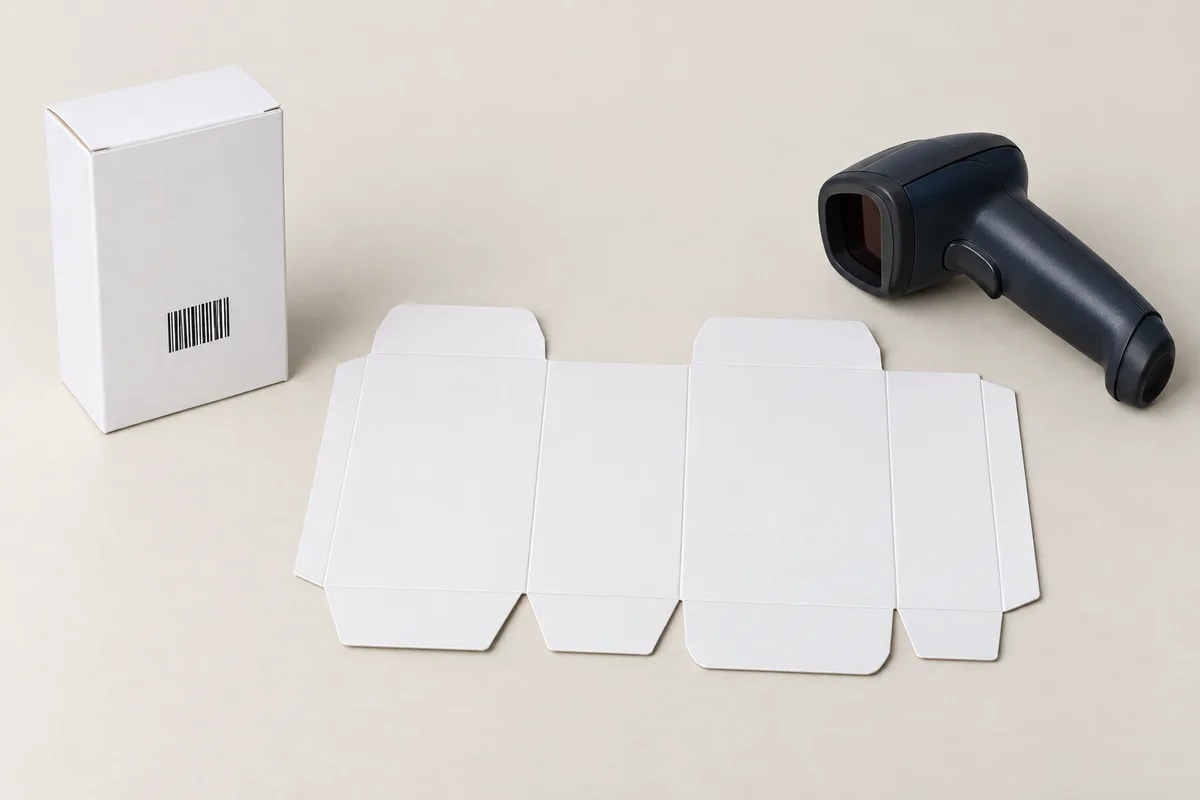
Mark the proposed position on a physical carton blank, then assemble it and inspect the result. Check whether the area remains unobstructed when the carton is closed, filled and displayed in the intended orientation.
Do not assume a blank-looking area on the flat sheet remains available. A closure, overlapping panel, label or sleeve may cover it in the final pack. Include later-applied components in the review, especially where different fulfillment or retail teams add their own labels.
Keep folds and interruptions out of the symbol area
Review the candidate area against score lines, cuts, glue seams and openings. Ask the converter to identify any production feature that could interfere with the printed surface or the surrounding clear area. The designer should work from the current structural file, not an earlier mock-up whose folds have moved.
If no suitable panel is available, ask the structural designer and prepress team to resolve the layout before changing the dieline. Do not resize the carton simply to make the barcode fit.
Include barcode review as a separate sign-off in the carton dieline and prepress checklist. An “artwork approved” email should state whether it covers the barcode data, placement and verification.
Preserve the required clear space and proportions
GS1's barcode quality checklist identifies symbol size, quiet zones and packaging interference among the checks needed for good-quality barcodes. The requirements depend on the application and symbol. Do not apply a single quiet-zone measurement or minimum size to every job.
Supply production-quality artwork from the appropriate source. Ask the prepress team to flag any proposed resizing, distortion or cropping. Stretching a graphic to fill a panel is not an acceptable substitute for selecting a suitable symbol size and layout.
Keep nearby text, borders and decorative graphics outside the required clear area. Review the actual file, not just a screenshot in which thin elements may be hard to see. Ask prepress to review any background graphic behind the symbol for its effect on barcode quality.
Review the printed surface separately from brand color
The symbol must work on the material and finish being supplied. A color choice that is attractive elsewhere on the carton should not be assumed suitable for machine reading. Discuss the intended bar and background colors with the printer and barcode specialist.
GS1 US recommends black bars on a white background as a strong starting combination and provides additional color guidance. Its advice also favors a single ink color for bars rather than a multicolor build. Refer to the actual guidance when specifying an alternative rather than making a visual judgment from the brand palette alone.
If the carton changes from white board to kraft, or adds a film, coating or label, include the barcode in the change review. Do not presume that approval of the previous construction carries over automatically. Check the barcode on the final printed and finished sample.
Assign responsibility for each check
Agree on who will check the product data, artwork position, print quality and finished pack. These tasks may sit with different teams. Ask what was checked and keep the result, rather than accepting a general assurance that “the factory checked it.”
| Check | Decision to record | Suggested responsible team |
|---|---|---|
| Product data | Symbol belongs to the intended product and pack level | Brand or product-data owner |
| Artwork placement | Position and surrounding area match the current carton | Designer with converter review |
| Production preparation | Printable file and agreed material/process combination | Converter or prepress provider |
| Verification | Applicable method, report and acceptance requirement | Qualified provider with buyer review |
| Final pack review | Nothing added during packing obscures the symbol | Packing or quality team |
Confirm these assignments for your project and retain the names of the reviewers with their approvals.
Do not confuse scanning with verification
A practical scan check can reveal an immediate problem in a particular setup, but it does not describe performance across every scanner or environment. GS1's DataMatrix guidance makes this distinction in its discussion of verification. That document addresses DataMatrix; use the appropriate verification requirements for the actual symbol on the carton.
Where verification is required, request the report and check the sample identity, material, revision, method and result. A report for a different construction does not establish approval for the new job.
Verification of print quality does not establish that the retailer's product record is correct. Confirm the product data with the responsible team separately.
Recheck changes made after artwork approval
Review any later change to substrate, print process, finish, structural dimensions or label position. Changes introduced during pack-out matter too: a promotional sticker or outer sleeve can obscure an otherwise well-placed code.
For a product family, agree with the quality team on which artwork versions and production samples will be checked. Set the sampling and acceptance requirements for the job rather than relying on one selected variant.
Maintain one current approval record with the code reference, artwork revision, carton revision and verification information. Clearly mark superseded files to prevent an old version from being used for a repeat order.
Prepare the carton brief for prepress review
When discussing custom folding cartons, provide the current dieline, the production barcode file, the intended retail application and any trading-partner requirements. Identify which party will confirm the product data and arrange verification.
Request a sample review that includes the closed, finished pack. Confirm that later-added labels or sleeves do not cover the code, and keep the final-pack approval with the prepress record.
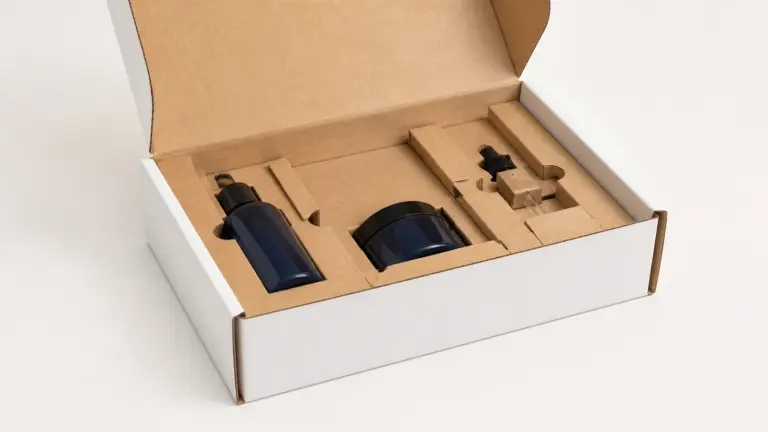
Image note: the featured carton and bar pattern are AI-generated illustrations. The pattern is not a production barcode, and the pictured blank is not a manufacturing dieline or verification result.