Counter Display Box Dimensions: Plan Product Count and Retail Space
A product layout and a retailer footprint are separate constraints. Use the worked example and dimension brief to bring both into the structural review.
Set counter display box dimensions from two inputs: the products that must fit inside and the retail space the finished display is allowed to occupy. Give the supplier both. A tray with enough product capacity can still be unsuitable if its header blocks a sightline or its outer footprint exceeds the counter allowance.
Before requesting a dieline, confirm the product orientation, quantity on display, shopper access and replenishment method. Those decisions establish a more useful brief than an approximate outside box size.
Separate product space from the finished footprint
Use three descriptions in the brief:
- Usable product space: the area and height available to the goods after walls, folds and dividers are accounted for.
- Assembled footprint: the finished outside width and depth that sit on the counter.
- Overall display height: the assembled height including the header and any product extending above the tray.
These are different measurements. The BoxMaker's retail display specifications illustrate the distinction by listing footprint, shelf space and header details separately. Its published sizes belong to its own designs; they are not universal counter display dimensions.
Ask the retailer which measurement is restricted. A maximum width at the base may not settle the allowed header width or total height. Use a drawing or written constraint where possible, especially when another fixture will sit beside the display.
Our packaging dimensions guide covers general measurement conventions. Label width, depth and height on the display sketch rather than relying on an unexplained sequence of numbers.
Choose the orientation and count before sizing the tray
Place the actual retail units in the direction the shopper should see them. Record whether the displayed item is a bottle, pouch, loose product or already boxed unit. Include closures, hanging tabs and other features that affect its occupied space.
Then agree how many products belong in the display. Distinguish the opening assortment from the maximum refill quantity. If flavors or colors must stay in separate lanes, show that arrangement instead of providing only a total count.
For a multi-SKU program, measure the largest occupied footprint in the selected orientation. Check whether smaller products remain upright and reachable in the same lane. A design based on a nominal catalog dimension may overlook a cap, a protruding carton flap or an additional label.
Lay out the assortment on a table before refining the artwork. That simple exercise can expose a cramped removal path or a product that hides the item behind it.
A worked layout example
The following is a hypothetical planning example, not a production recommendation.
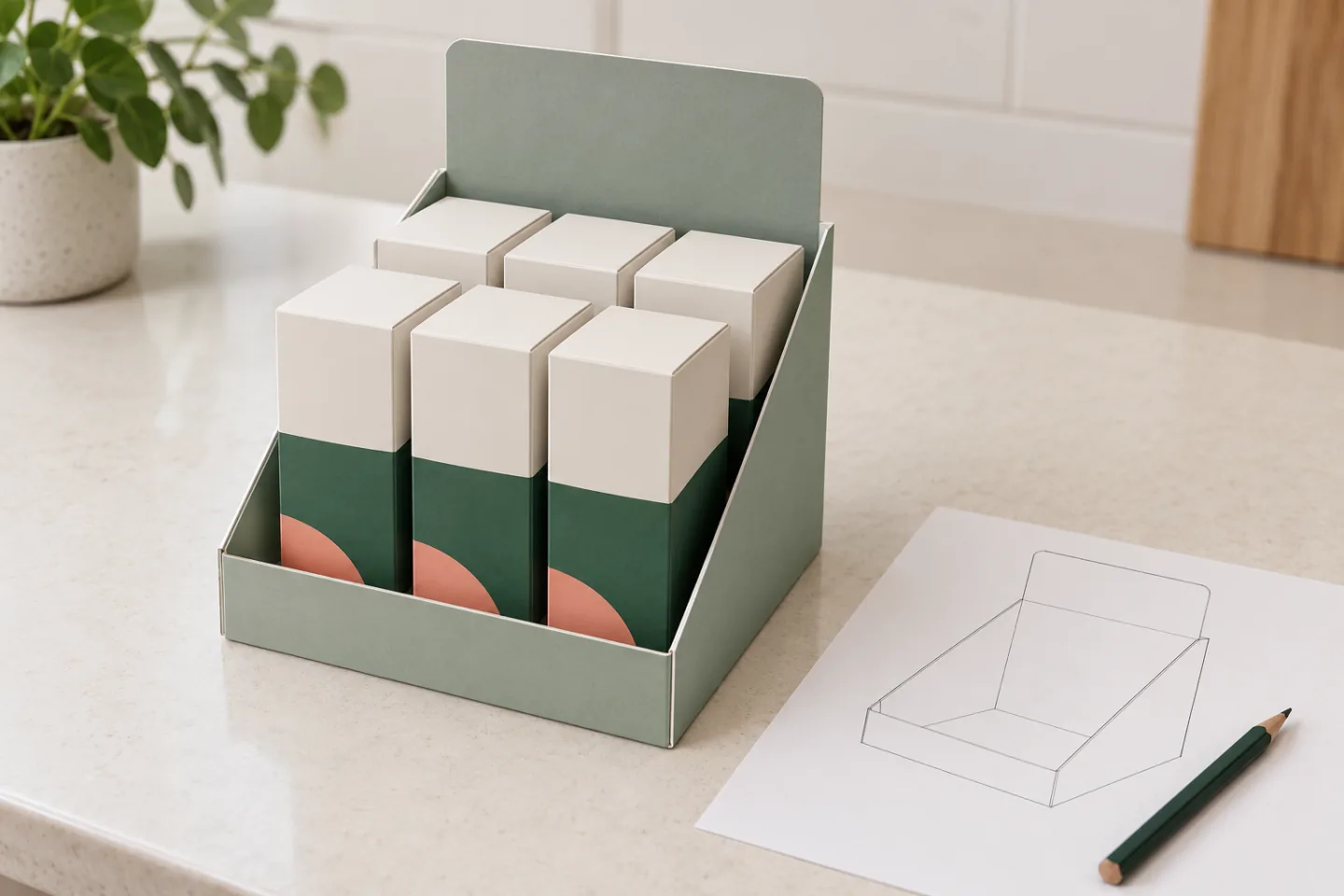
Assume a brand wants six rectangular cartons in two rows of three. Each carton occupies 40 mm across the display and 30 mm from front to back. The initial arrangement therefore occupies:
- width: 3 × 40 mm = 120 mm;
- depth: 2 × 30 mm = 60 mm.
Now suppose the draft layout allows 2 mm between adjacent products and a 4 mm margin along each outer edge. The planning area becomes:
| Direction | Calculation | Draft usable area |
|---|---|---|
| Width | Three carton widths + two gaps + two edge margins | 132 mm |
| Depth | Two carton depths + one gap + two edge margins | 70 mm |
The result is a 132 × 70 mm draft usable area, not the finished outside footprint. Wall construction, dividers, folding details and the selected material still need to be added by the structural designer. The assumed gaps and margins also need a physical fit and removal check.
If a divider is required, include its space in the layout. Do not count the same gap once as finger access and again as material thickness without showing what each allowance does. When the assembled display must fit an existing tray or retailer fixture, work back from that external constraint with the supplier.
Check access as stock is removed
The shopper has to see, grip and remove the product. Review the front lip against the important information on the pack, then check whether the first unit can be lifted without dragging against the next one.
Repeat the review with the front row removed and with an uneven assortment. A fully stocked display can hide problems that appear later: smaller packs may lean, a rear item may be hard to reach, or an unsupported header may move during replenishment. Record what happens in the sample rather than assuming additional board will solve it.
Ask store staff or the brand's retail team to try the intended refill action. If replenishment requires lifting out a divider or emptying the whole tray, decide whether that is acceptable before the construction is approved.
For small skincare cartons, for example, the useful observation might be that the rear row becomes accessible only after the front row is empty. Whether that is acceptable depends on how the retailer expects the assortment to be shopped and refilled.
Confirm how the display reaches the store
A display shipped flat for assembly has a different operating brief from one that arrives prefilled. Tell the designer which route is planned and who will set it up.
For a flat display, review setup instructions, locking features and the order in which products are loaded. For a prefilled unit, confirm how it is restrained and protected inside the transport pack. If a cover becomes a header or a perforated section is removed, the opening sequence needs a sample check.
Do not assume that a display suitable on a counter is ready for parcel or pallet distribution. Product retention, transport packing and any testing should be agreed for the actual route. Those requirements may change the outside dimensions and the number of displays per shipping case.
Give the supplier a complete dimension brief
Use the following worksheet before requesting a structural sample. Leave an uncertain item marked for confirmation rather than entering a guessed requirement.
| Input | Record for the project |
|---|---|
| Product | Retail unit type, dimensions, weight and orientation |
| Assortment | Quantity and position of each SKU |
| Layout | Rows, columns, tiers and divider needs |
| Retail limit | Maximum outside width, depth and overall height |
| Access | Front opening, grip position and refill action |
| Header | Allowed size, visibility and any detachable parts |
| Fulfillment | Flat or assembled; empty or prefilled |
| Transport | Shipping case, route and relevant handling requirements |
| Approval | Product-loaded sample, artwork version and reviewer |
Include a sketch or photograph of the proposed arrangement and the retailer's constraint if one exists. For quantities and prices, also provide the number of displays required; the number of products per display is a separate figure.
Approve the loaded sample before final artwork
Start with a plain sample made to the proposed construction. Check the actual products, the assembled footprint, the full header height, removal and replenishment. Note any difference between sample materials and the intended production version.
After those points are settled, position graphics around the working features. A front lip, cutout, tear line or locking tab can limit the usable artwork area. Keep important messages visible in the agreed stocked and partly depleted states.
For custom display boxes, send PackagingFor the product information, desired count, retail limits and shipping configuration. Those inputs allow a structural proposal to be reviewed before the final dieline and price are confirmed. Include quantity and destination when requesting a quotation.
Featured image: AI-generated editorial illustration, not a customer project, approved sample or production-test result.